🏉 Live Australian & Global Sports 📺 All 10,000+ Live Channels 🎬 50,000+ Movies & TV Series VOD ⚙️ Device Setup Guides 💰 IPTV Plans from $8.33/mo ⚖️ Australian Legal Guide 🚀 Start 24hr Free Trial →
Android & Fire TV Player Guide

XCIPTV Australia: 5 Best Player Setup Steps & Features

Configure XCIPTV Australia for the ultimate high-definition television experience. Discover why thousands of Australian sports fans and international cord-cutters prefer this sleek media player for Android TV, Amazon Firestick, and tablet devices.

Modern User Interface

XCIPTV Australia – Fast Streaming with Dual Built-In Players

When pairing high-bandwidth Australian streaming subscriptions with hardware streaming sticks, player efficiency is paramount. XCIPTV stands out among media clients thanks to its clean dashboard, integrated electronic program guide, and default hardware acceleration.

Unlike complicated legacy platforms that require extensive manual adjustments, configuring your device takes less than three minutes using the standard Xtream Codes protocol. You can inspect official application updates directly via the Google Play Store listing, or test your household line throughput with Speedtest by Ookla.

Enjoy live AFL footy, NRL rugby, Premier League, cricket, and on-demand movies with instant playback and zero buffering across all Australian capital cities and regional communities.

Start Free 24hr Trial
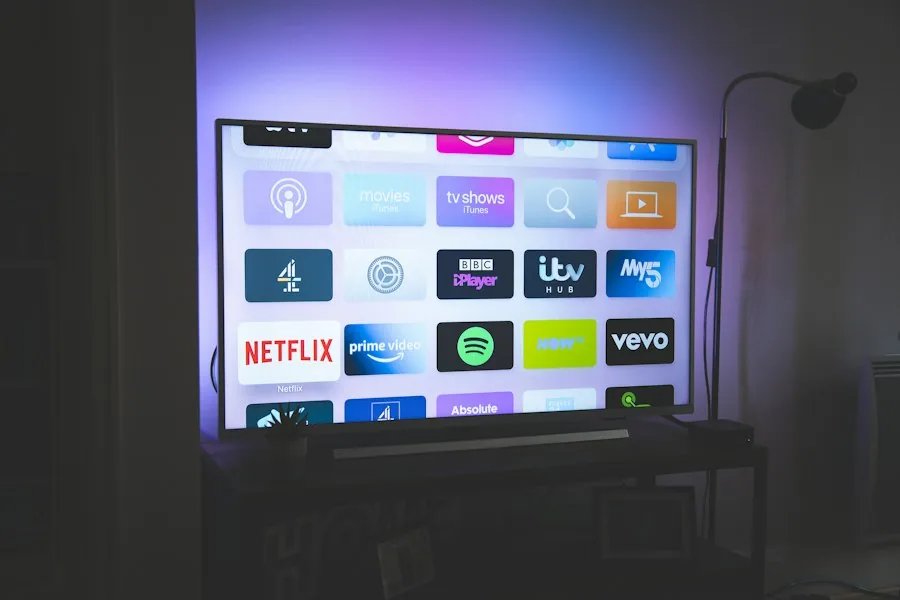
XCIPTV Australia modern interface dashboard showing live sports categories
Quick Installation

Five Simple Steps to Set Up XCIPTV Player

Get up and running in minutes by following these streamlined setup instructions on your Firestick or Android TV.

01

Install the Application

Download XCIPTV directly from Google Play or search for it inside the Amazon Appstore on your Fire TV Stick.

02

Select Xtream Codes Login

Open the app and choose the Xtream Codes API option. This gives you structured channel groups, VOD posters, and automated EPG syncing.

03

Enter Your AusLiveTV Details

Type your Server Portal URL, Username, and Password exactly as provided in your activation welcome email.

04

Synchronize Channels and EPG

Click Sign In. The application automatically downloads channel categories, program listings, and current video-on-demand libraries into local memory.

05

Configure Hardware Acceleration

Navigate to App Settings → Player Selection. Select ExoPlayer for live sports feeds and VLC for movie playback with subtitle switching.

Advanced Functionality

Why Enthusiasts Choose XCIPTV in Australia

Explore the premium streaming capabilities that give viewers complete control over their entertainment.

Dual Internal Players

Switch seamlessly between built-in ExoPlayer and VLC engines without installing third-party rendering packages.

Multi-Screen Viewing

Watch up to four simultaneous live sports matches side-by-side during packed Saturday AFL and NRL game windows.

Catch-Up & TV Guide

Browse Australian time-zone aligned XMLTV program schedules with automatic 7-day electronic program guide reloading.

Parental Pin Control

Lock adult categories, international news bundles, or custom folders with secure master passcode protection.

XCIPTV streaming on Firestick connected to Australian high-speed home internet
Network Tuning

Optimizing Your Setup for Smooth 4K Playback

To get the most out of your television setup, pair this lightweight software client with our ultra-low latency Sydney and Melbourne content delivery servers. Australian internet service providers frequently manage evening peak traffic by shaping video protocol packets.

By connecting over an unthrottled 5GHz Wi-Fi band or direct Ethernet cabling, viewers eliminate wireless packet loss. AusLiveTV delivers adaptive bitrate H.264 and HEVC H.265 streams that maintain stable 50fps and 60fps frame rates even on modest NBN 25 connections.

Experience instant category navigation, crisp audio synchronization, and zero-buffering reliability whether you reside in Sydney, Melbourne, Brisbane, Perth, or regional Australia.

Browse All Setup Guides
Frequently Asked Questions

XCIPTV Australia Common Questions

Find answers to the most common setup and troubleshooting questions asked by Australian streamers.

Does XCIPTV require external video players like MX Player?

No. XCIPTV includes two high-performance media engines (ExoPlayer and VLC Player) right out of the box, meaning you do not need to install any external codecs or third-party players.

What should I do if channels are buffering during peak sports hours?

Navigate to Settings → Stream Format and switch between HLS and MPEG-TS. You can also toggle the internal player engine from ExoPlayer to VLC to resolve ISP-specific packet pacing issues.

Can I use one XCIPTV subscription on multiple devices at home?

Yes. While standard accounts support single active streaming, our multi-room subscriptions allow simultaneous viewing across bedroom TVs, living room boxes, and mobile phones.

Transform Your TV Experience with XCIPTV

Get instant access to 10,000+ live HD channels, full Australian sports coverage, and crystal-clear VOD with AusLiveTV.

Start Free 24-Hour Trial View Pricing Plans
NEVER MISS A MATCH OR NEW RELEASE

Get Free Trial Access & Match Schedules

Be first to hear about new plan discounts, live match schedules, and free 24hr trial access.

AusLiveTV rated Excellent on Trustpilot
Safe & Secure Checkout - SSL Encrypted Payment

